CampusBite logo
CampusBite
HOW IT WORKS

From dining hall to done.

CampusBite fits the meals you're already eating. Here's the whole journey, five steps setup to daily habit.
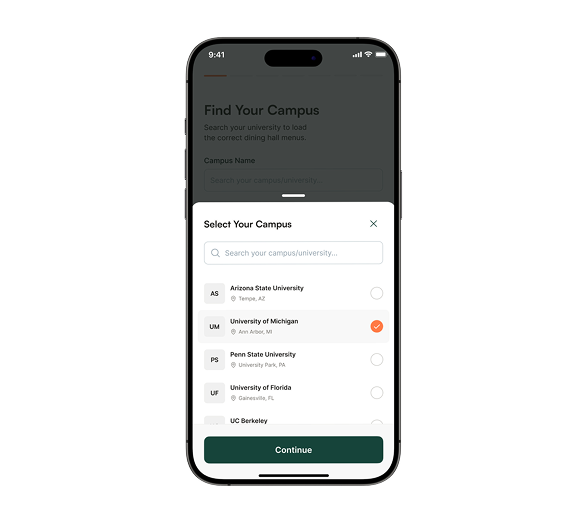
Select your campus screen
01 · SET UP

Find your campus

Search your university and CampusBite loads the real dining-hall menus your meal plan already covers.
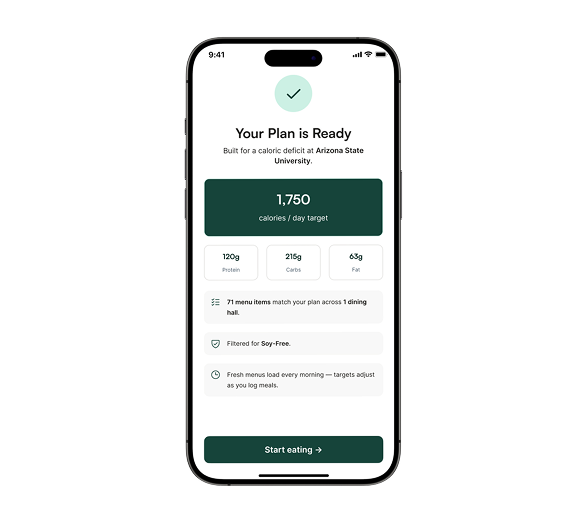
  • ✓ Every hall on your campus, in one place
  • ✓ Menus refresh automatically every morning
Your plan is ready screen
02 · PERSONALIZE

Build your plan in a minute

Answer a few quick questions about your goal, body, activity, and dietary needs, and we build your targets.
  • ✓ Targets from your goal, not a generic diet
  • ✓ See how many menu items already fit your plan
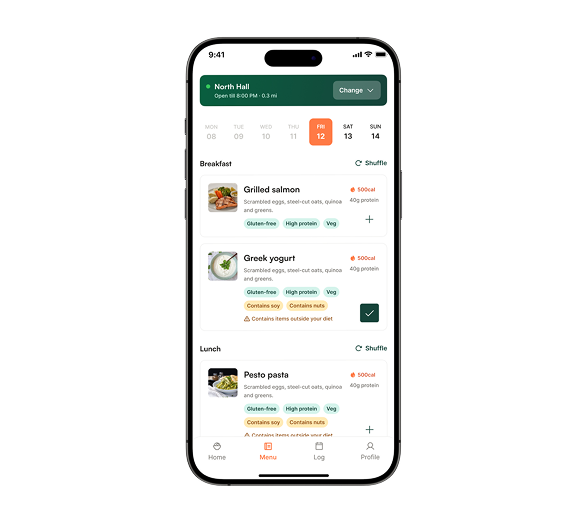
Dining hall menu screen
03 · EVERY DAY

Browse menus made for you

See exactly what every dining hall is serving today, filtered to fit your diet before you even walk in.
  • ✓ Off-diet items flagged before you eat them
  • ✓ Calories and protein on every dish
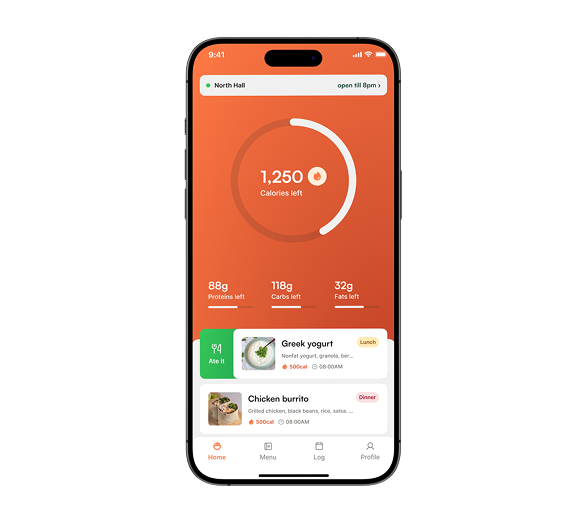
Daily meal logging screen
04 · LOG

Log a whole day in seconds

Swipe to log breakfast, lunch, and dinner. Calories and macros fill in automatically, no searching a database.
  • ✓ Swipe right to log, left to skip
  • ✓ Ate something off-plan? Log it in a tap
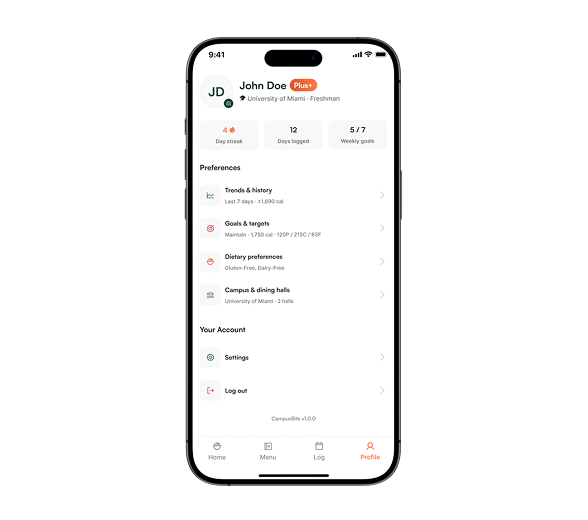
Profile and progress screen
05 · STAY ON TRACK

Watch your progress build

Streaks, weekly trends, and gentle insights show what's working, and never shame a meal.

  • ✓ Streaks and weekly goal tracking
  • ✓ Trends and insights that keep you going

That's the whole thing.

Set up once, then it's one swipe a meal. Free on iOS and Android.